
Home Theater Remote Pro1.8 - Google Play
You'll be able to see results in few seconds.
Publisher Description
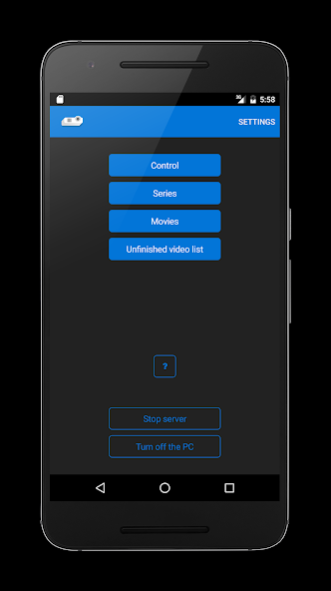


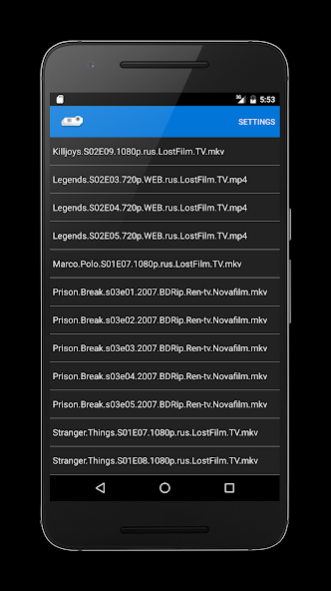
Home Theater Remote is an app for remote control of your home theater. It is all-purpose and operate with TVs, video projectors and audio devices of different companies.
You need only PC with Windows and video player Media Player Classic – Home Cinema to use it.
Attention, please! You need to install Home Theater Server from http://hts.uxp.ru/#/hts
Application features:
• pause and play;
• define custom folders with movies and series;
• change video volume in player;
• change system volume;
• close player;
• save playback position;
• delete watched movie;
• rewind the video (user configurable);
• mute;
• swipe down to refresh video info;
• display playback progress;
• ability to minimize and maximize the player window on the screen;
• switch audio output;
• unfinished videos list;
• the server application with the graphical interface.
• delete files directly from the lists.
Future additionals:
• search in video lists;
• statistics;
Before buying it is recommended to download the free version and make sure that the application correctly interfaces with your multimedia devices!
This app is for you if:
• you have a monitor with wide screen and you are watching a movie from a distance (from the couch or any other comfortable place);
• you have a TV connected to the computer, and you launch the movies on PC but watching them on the TV set;
• you have the video projector connected to the PC;
• you use the additional audio system connected to the computer to watch movies.
If you find a bug or notice incorrect application work send me an e-mail or write a review please and I'll do my best to fix it.
About Home Theater Remote Pro
The company that develops Home Theater Remote Pro is Igor Silakov. The latest version released by its developer is 1.8.
To install Home Theater Remote Pro on your Android device, just click the green Continue To App button above to start the installation process. The app is listed on our website since 2018-01-07 and was downloaded 0 times. We have already checked if the download link is safe, however for your own protection we recommend that you scan the downloaded app with your antivirus. Your antivirus may detect the Home Theater Remote Pro as malware as malware if the download link to com.trueberry.hometheatre is broken.
How to install Home Theater Remote Pro on your Android device:
- Click on the Continue To App button on our website. This will redirect you to Google Play.
- Once the Home Theater Remote Pro is shown in the Google Play listing of your Android device, you can start its download and installation. Tap on the Install button located below the search bar and to the right of the app icon.
- A pop-up window with the permissions required by Home Theater Remote Pro will be shown. Click on Accept to continue the process.
- Home Theater Remote Pro will be downloaded onto your device, displaying a progress. Once the download completes, the installation will start and you'll get a notification after the installation is finished.
Program Details
System requirements
Download information
Pricing
Version History
version 1.8
posted on 2018-01-07
What's new: bug fixes and library updates
version 1.6
posted on 2016-09-08
In new version:,- nice settings icon in the action bar.,- default language has added.
Disclaimer
Official Google Play Link
We do not host Home Theater Remote Pro on our servers. We did not scan it for viruses, adware, spyware or other type of malware. This app is hosted by Google and passed their terms and conditions to be listed there. We recommend caution when installing it.
The Google Play link for Home Theater Remote Pro is provided to you by apps112.com without any warranties, representations or guarantees of any kind, so access it at your own risk.
If you have questions regarding this particular app contact the publisher directly. For questions about the functionalities of apps112.com contact us.
